deckbridge 0.14.0
Deckbridge 0.14.0 brings faster image transfers and USB discovery, easier diagnostics, and device tuning.
Performance
- Faster image transfers on 293S-family devices.
- USB discovery scans once per sweep.
- Reconnect checks run every 3–30 seconds.
- Less memory overhead and WebSocket traffic.
Profile switches now update all keys together. On a Mirabox 293S, median USB transfer time dropped 54.9% across ten samples per mode.
| Full 15-key page | Before | After |
|---|---|---|
| Median USB transfer | 1,022 ms | 461 ms |
| USB reports | 76 | 62 |
| STP reports | 15 | 1 |
Sending one STP report per page reduces firmware stalls.
Diagnostics
Run deckbridge diagnose to collect device details, logs, and settings.json. It runs without starting a server or opening the device. The Web UI provides the same report at GET /api/diagnostics.
Settings → Logging & diagnostics does the same in one click: turn on debug logging, reproduce the problem, then create the report.
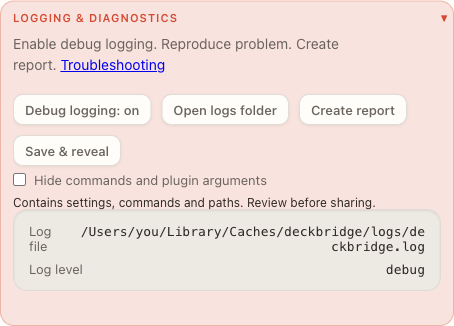
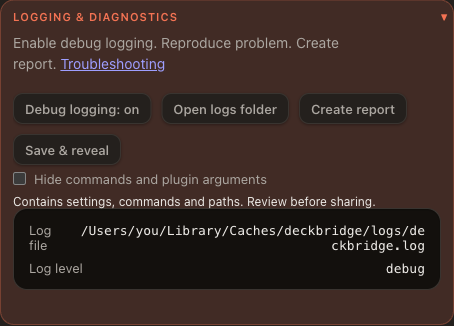
Commands appear in full by default. Tick Hide commands and plugin arguments — or pass --redact-commands on the CLI — before sharing.
Rotating logs keep three files, up to 2 MB each. Startup logs help identify where a freeze occurred.
Device tuning
Use the Web UI tuning panel or modelOverrides in settings.json to adjust images, communication, and key mapping. Device identity and driver selection stay fixed.
Rotation, image fit and pad fill sit under Layout; size, quality and byte limit under Image. Values apply to every unit of that model and take effect on reconnect.
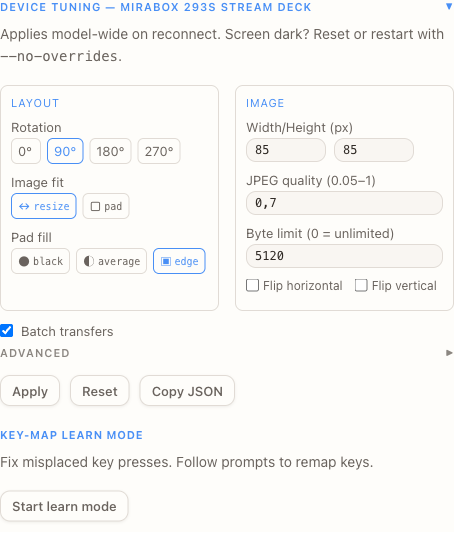
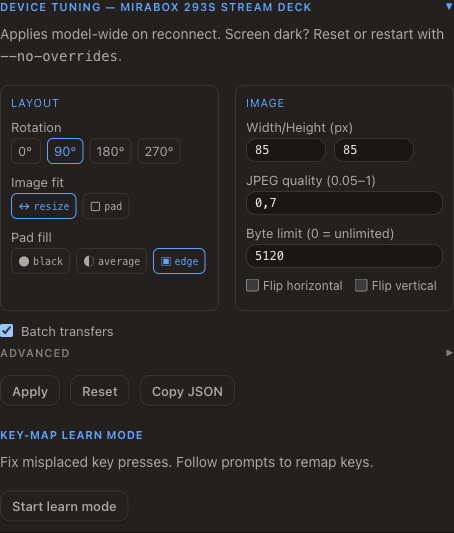
If tuning causes problems, press Reset — or restart with DECKBRIDGE_NO_OVERRIDES=1 to ignore saved overrides for the session.
See troubleshooting for details.
Device and platform fixes
- macOS: device discovery recovers after unplugging and reconnecting.
- AKP153E: stable discovery and corrected icon dimensions.
- Stream Deck MK.2: corrected splash rotation and key offsets.
- More reliable device tuning reloads.
Releases
Release files are scanned for malware. VirusTotal links appear in release notes. Windows and macOS installers build faster.
Next release
Deckbridge will connect one deck by default, then stop USB scanning. Enable "multiDeck": true in Settings to connect another. Disabling it disconnects extra decks.