Getting Started
Use a packaged release, or build from source.
1. Get DeckBridge
Option A — Packaged release (recommended)
Releases are tested on macOS. Windows and Linux builds receive less testing. Linux binaries need glibc 2.38+ (Ubuntu 24.04+, Debian 13+). Build from source when needed.
Download your release, unzip it, then run it. Everything required is embedded. No Node.js or extra installs.
Latest downloads
The last three releases, live from GitHub. Builds for your detected OS are listed first; everything else is one click away under Other platforms.
Loading releases…
./deckbridge        # macOS / Linux
deckbridge.exe      # Windows
macOS and Windows packages include a tray icon.
Option B — Build from source
Install mise, Rust, and libhidapi:
- macOS:
brew install hidapi - Debian/Ubuntu:
sudo apt install libhidapi-dev
cd deckbridge
mise run start      # build everything + run
# or
mise run compile    # produce a standalone ./deckbridge binary
mise downloads txiki.js automatically. macOS x86_64 builds it locally and also needs git,
cmake, npm, and libffi. Set TJS_FROM_SOURCE=1 to force a local build, including on Linux
systems older than glibc 2.38.
2. Plug in your deck
Connect supported hardware. Fast discovery retries every three seconds. Slow scans back off toward thirty seconds. On macOS, grant Input Monitoring access.
3. Run it
Start DeckBridge. It opens your deck, advertises a network dock, and serves:
- CORA on TCP 5343 / 5344
- web UI at http://localhost:3000
Packaged releases show current status:
| Tray icon | State | Meaning |
|---|---|---|
 | gray | no deck |
 | yellow | deck connected and ready for pairing with Elgato app |
 | green | deck open and Elgato app connected |
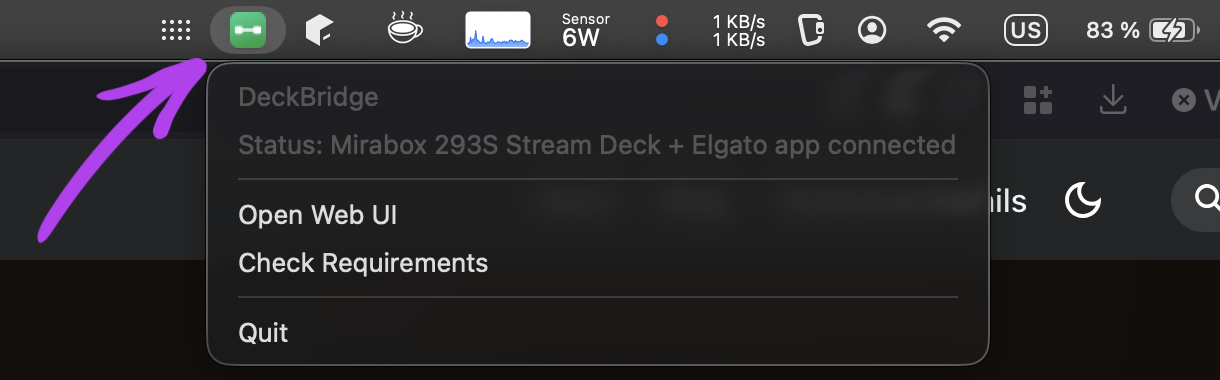
On macOS the icon sits in the menu bar. Click it for status plus Open Web UI, Check Requirements, Restart Elgato App and Quit:
4. Pair with the Elgato app
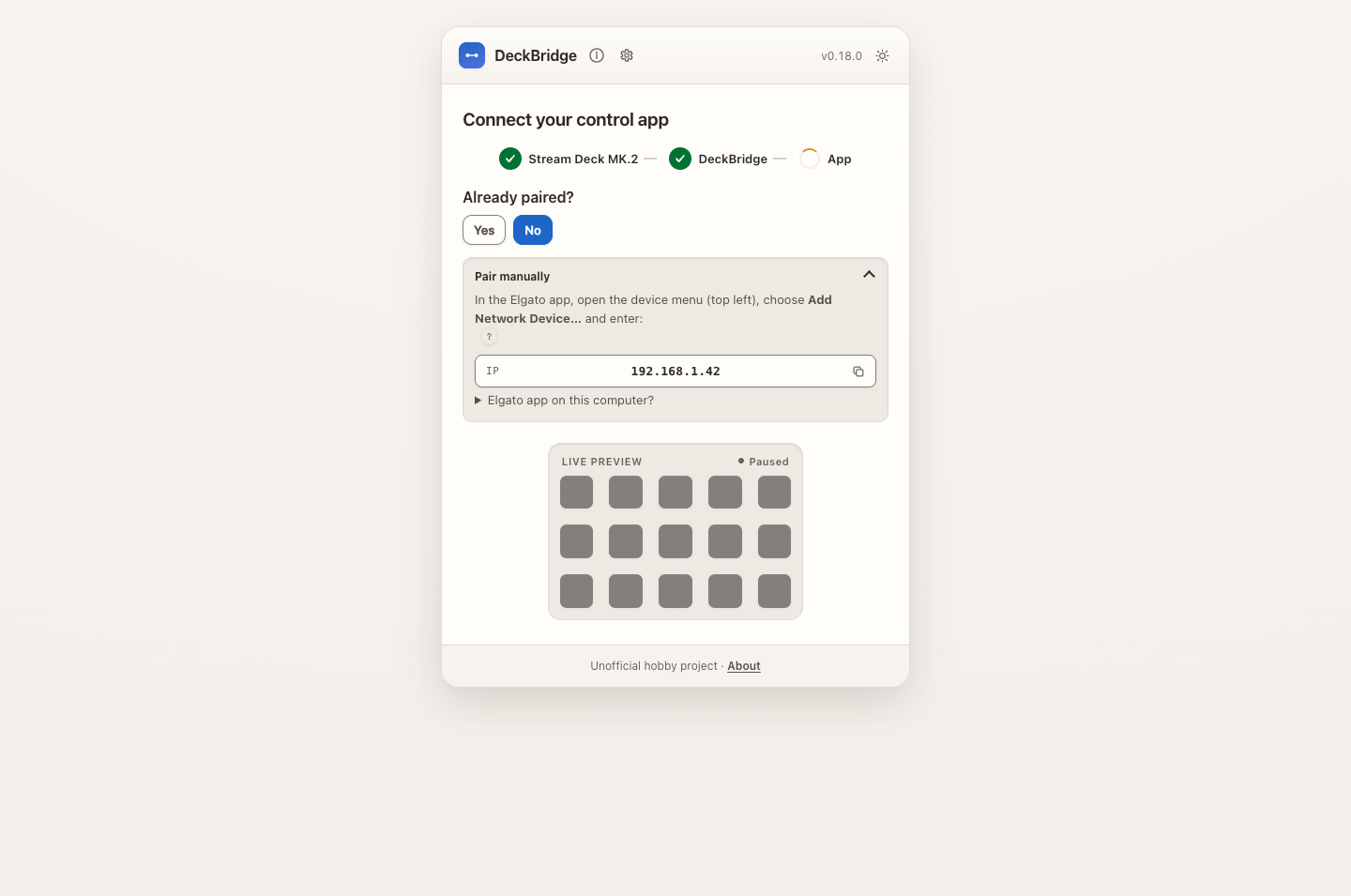
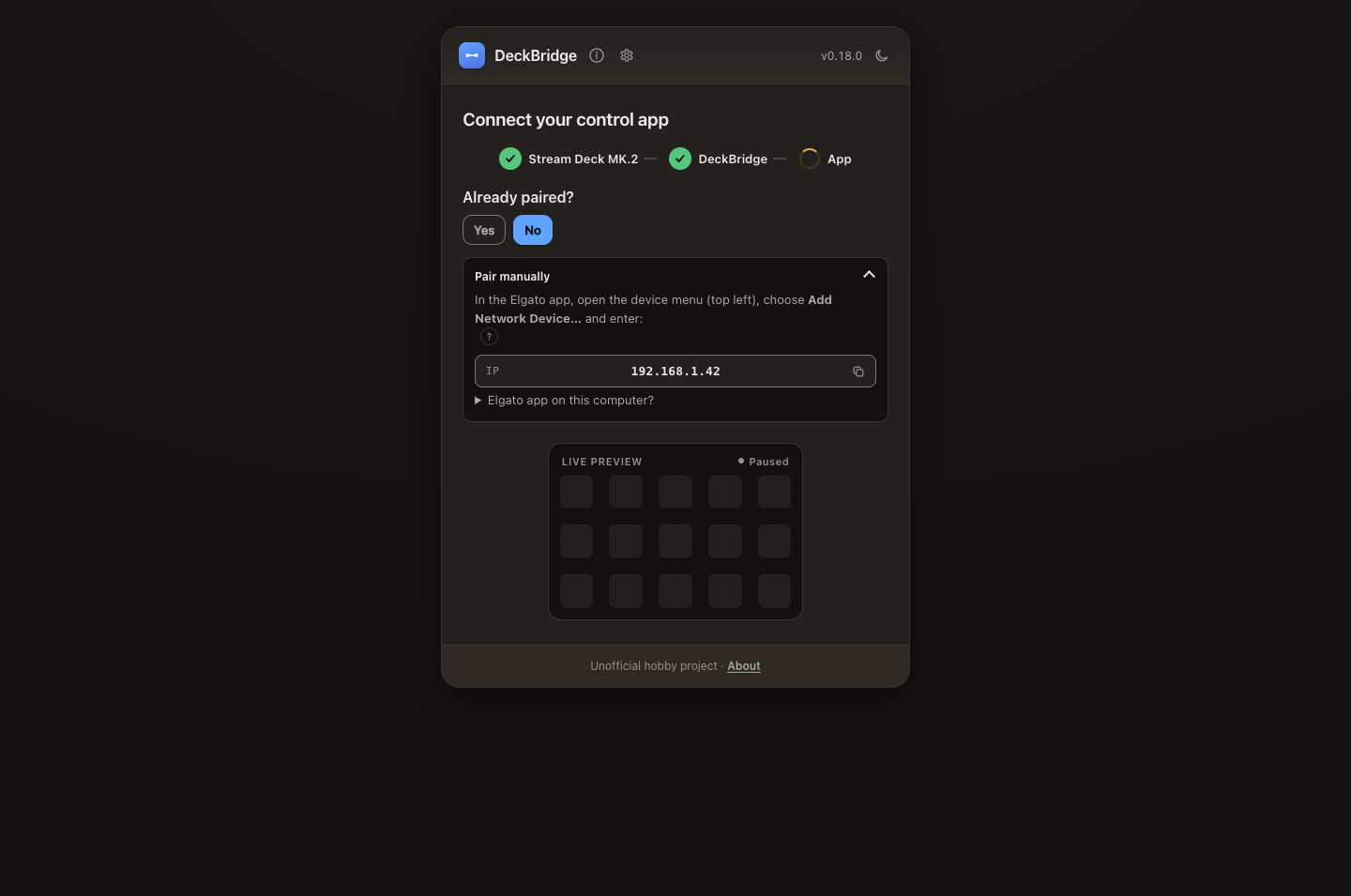
Open Elgato Stream Deck or Companion on any computer using the same LAN. Follow the web UI's Already paired? choice:
- Yes — Open Elgato app if stopped, or Restart Elgato app if running.
- No — Pair manually opens setup steps and the pairing address.
App buttons control DeckBridge's computer. Open a remote app on its own computer.
Each extra deck must use a different model. Pair each separately using its web UI card and port (5345, 5347, …). See Multiple decks.
Verify your setup
- Open http://localhost:3000. Check live keys and logs.
- Use tray → Check Requirements for diagnostics.
mise run s-advancedenables advanced controls. Mock simulation needsmise run build-mock. Then run withDECKBRIDGE_MOCK=1. Released binaries exclude mock simulation.
Troubleshooting
Something not working? Troubleshooting & Diagnostics covers where the logs live, how to turn on debug logging, how to produce a diagnostics report to attach to a bug report, and how to tune a device whose images land wrong.
- Ports 5343/5344 busy — stop conflicting DeckBridge, Network Dock, or ESP32 bridge.
- No device — check USB. On macOS, grant Input Monitoring.
- Missing libhidapi — follow source-build steps.
- Linux permission denied — add a udev rule.
- Restrict LAN access — set
DECKBRIDGE_BIND=127.0.0.1.