Quickstart
Two commands, no account, no database.
1. See it
git clone https://github.com/lukasMega/deno-kv-analytics
cd deno-kv-analytics
deno task demo
The real handler over an in-memory KV seeded with 30 days of deterministic fake traffic. Nothing is written to disk, no real data is touched — it exists so you can judge the UI before wiring anything up.
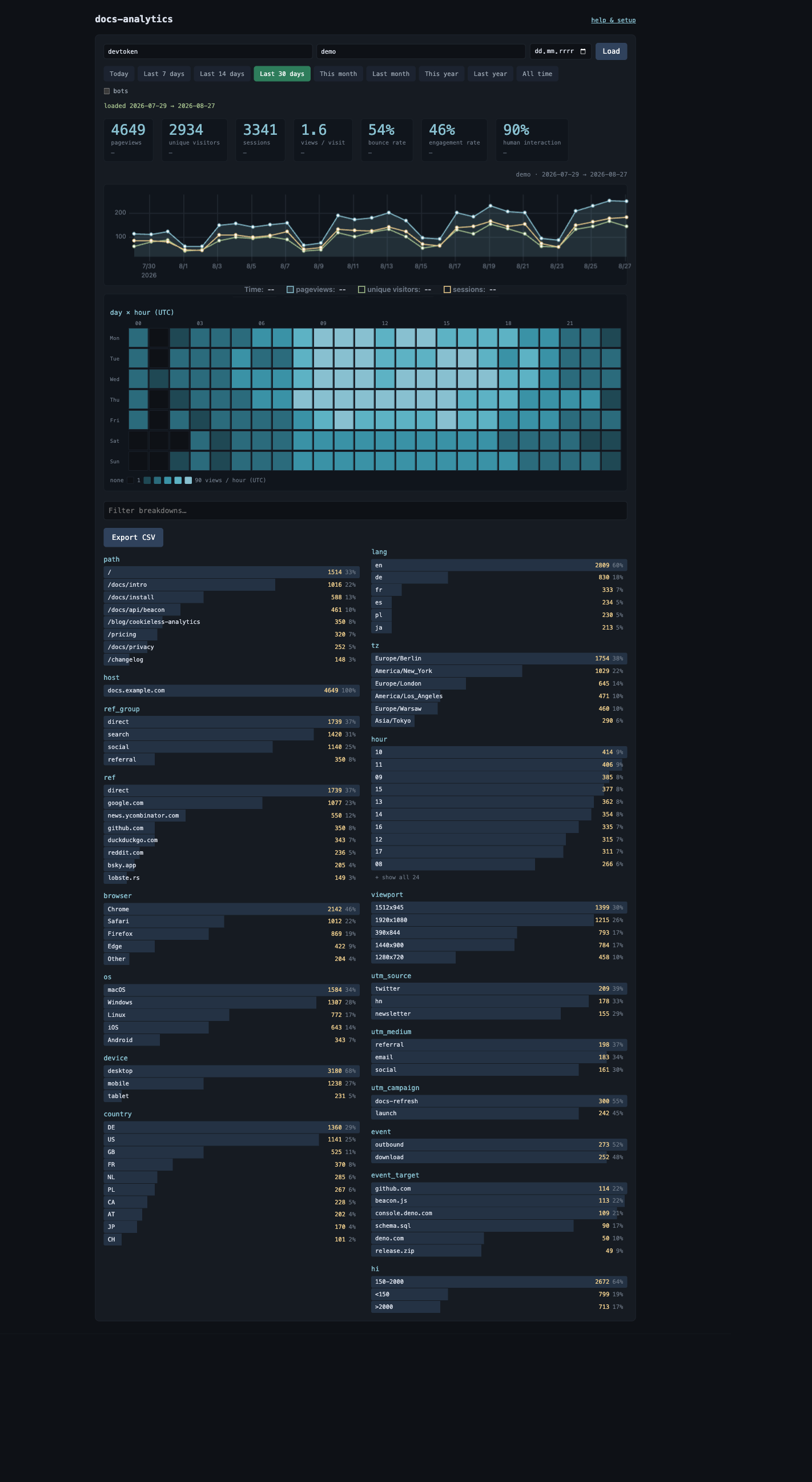
2. Run the real thing
deno task dev # http://localhost:8123
Preset for local work: STATS_TOKEN=devtoken, SITES=demo:localhost:8123,
KV_PATH=local.db. It builds the browser beacon first, so there is no separate
build step to forget.
3. Verify with /help
Open http://localhost:8123/help, enter token devtoken and site demo, and
run the checks.
/help is not a tutorial page — every step probes the live server through an
endpoint that already exists (/, /stats, /sites), so it cannot drift from
what the code does. It also hosts a test-beacon and a Seed 30 random button,
which is what makes the later steps checkable before real traffic exists.
The same page ships with the deployment. A green run locally means the deployed one behaves identically — which is why the deploy guide ends by sending you back to it.
Next
- Getting started — put it on Deno Deploy, with a real domain.
- Configuration — the two env vars you actually need.